
Photosteward
Clears the duplicates and near-identical shots out of your Apple Photos library, keeping the best of each moment.
Do you often take multiple pictures of the same scene? Most of a family library is exactly that — the same moment, eight times over. Photosteward groups them, picks one to keep, and sets the rest aside for you to delete in a single confirmed batch.
Requires: Apple Silicon Mac, macOS 26 (Tahoe) or later. Changelog
Similar shots and bursts, grouped by moment












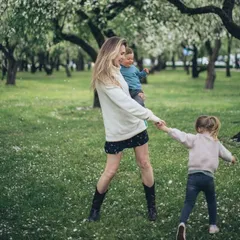

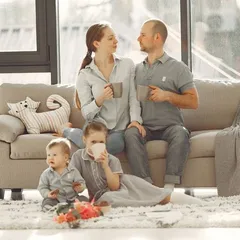

Your library as Photos shows it: the same moment four times, the best shot buried somewhere among them.
Photosteward gathers each moment into a group and keeps one photo, with the reason beside it in plain language. The rest are only set aside — nothing has been moved or changed until you say so.
The photo you’d put in the album, not the sharpest file
Duplicate cleaners keep the largest file or the sharpest frame. But in a family library the difference between four shots of the same moment is who blinked — so Photosteward judges the faces first, and shows its reasoning photo by photo.




Disagree with a verdict? One keystroke keeps a different photo instead, and Reset brings the app’s choice back. Photos you marked yourself — a favourite, or anything filed in one of your own albums — are never flagged at all.
The next photo album takes an evening, not a weekend.
The yearbook, the calendar for the grandparents, the birthday slideshow: the slow part was never picking the good photos — it was wading through the eight versions of each one.
Nothing is deleted without you pressing the button
Photosteward flags; you delete. The flagged photos wait in a Rejects album where you can see every one of them, and deletion is a single confirmed batch, never a side effect.

After the app’s own question, macOS asks once more — its dialog, not Photosteward’s — and deleted photos sit in Recently Deleted for 30 days.
Your photos stay yours
This app looks at your family’s faces, so where that happens matters: on your Mac, with Apple’s on-device frameworks. There is no account and no upload — your files never leave your Mac. The little that does leave is listed here.
- Sends
- Anonymous usage counts, as coarse buckets — that a library is “5k–20k photos”, never that it is 12,741. Switchable off in Settings.
- Sends
- A check for updates: the Photosteward version and the macOS version, nothing else.
- Never
- A photo, a face, or anything derived from one. What was judged stays on this Mac.
- Never
- A name, a place, an album, a filename or a date. The privacy page lists every signal.
Gigabytes back, and kept back
Every burst carries passengers: the shots that lost. The menu bar shows what is waiting, in photos and in gigabytes, and one confirmed batch reclaims the space — on your Mac and in iCloud alike. With “Optimise Mac Storage” on it works from the previews already on your Mac, fetching originals only where a group needs a closer look.
Then it keeps the library that way: it lives in the menu bar and looks through new photos as they arrive, waiting for mains power and standing down in Low Power Mode.
CHF 15 once. No subscription.
Scanning and reviewing are free, with no time limit. So are the first 50 photos it offers you to discard — the most recent ones, whole groups at a time. Then CHF 15, once, for up to three of your own Macs.
FAQ
How is this different from the Duplicates album in Photos?
Photos finds exact duplicates — the same file twice. The eight nearly-identical shots of one moment are not duplicates to it, and they are most of what fills a family library. Photosteward groups those, keeps one, and tells you why.
Does Photosteward delete photos by itself?
No. Flagging moves and changes nothing — the photos are only set aside. You press the button, macOS asks once more, and what you delete stays in Recently Deleted for 30 days.
Do my photos leave my Mac?
No. Faces, framing and sharpness are judged on your Mac by Apple's on-device frameworks — your files never leave your Mac. What does leave is listed on the privacy page: anonymous bucketed usage counts you can switch off, and an update check. Never a photo, a face, a name or a place.
Does it work with iCloud Photos and Optimise Mac Storage?
Yes, without downloading your whole library. Grouping runs from the previews already on your Mac; originals are fetched only for the groups that need a closer look, in batches, and it asks before the first big download.
Will it flag photos I put in albums, or my favourites?
No. A favourite, or a photo filed in one of your own albums, is a decision you already made — Photosteward keeps it and says so: “Already in one of your albums”.
How does it choose which photo to keep?
By the faces first, when there are faces: everyone smiling, eyes open, more faces clearly visible — then framing and sharpness. A group with nobody in it is judged on the picture alone. Every choice carries its reason, and one keystroke keeps a different photo instead.
What does it cost?
Scanning and reviewing are free. So are the first 50 photos it offers you to discard — enough to see whether you trust its judgement. Then CHF 15 once, for up to three of your own Macs.
Why does it need macOS 26 and Apple Silicon?
The on-device Vision frameworks it judges photos with ship with macOS 26 (Tahoe) and need Apple Silicon. An Intel Mac, or an M1 on an older macOS, cannot run it.
What about a shared iCloud library?
Stated plainly, because it is a limit: macOS draws no distinction, for apps, between your own library and a shared iCloud one. Photosteward sees both together.
Why the Duplicates album didn’t find your similar photos · Picking the best photo from a burst · Too many photos of my kids · Compared with PhotoSweeper · Compared with Photiva